Your report and its CLOSER data, built in one pass.
Your report and its CLOSER data,
built in one pass.
Turn your PCA, Phase I ESA, zoning or seismic report into structured data, ready to upload to CLOSER. No rekeying, and missing or invalid entries get flagged before you submit.
One source of truth for the narrative and the data.
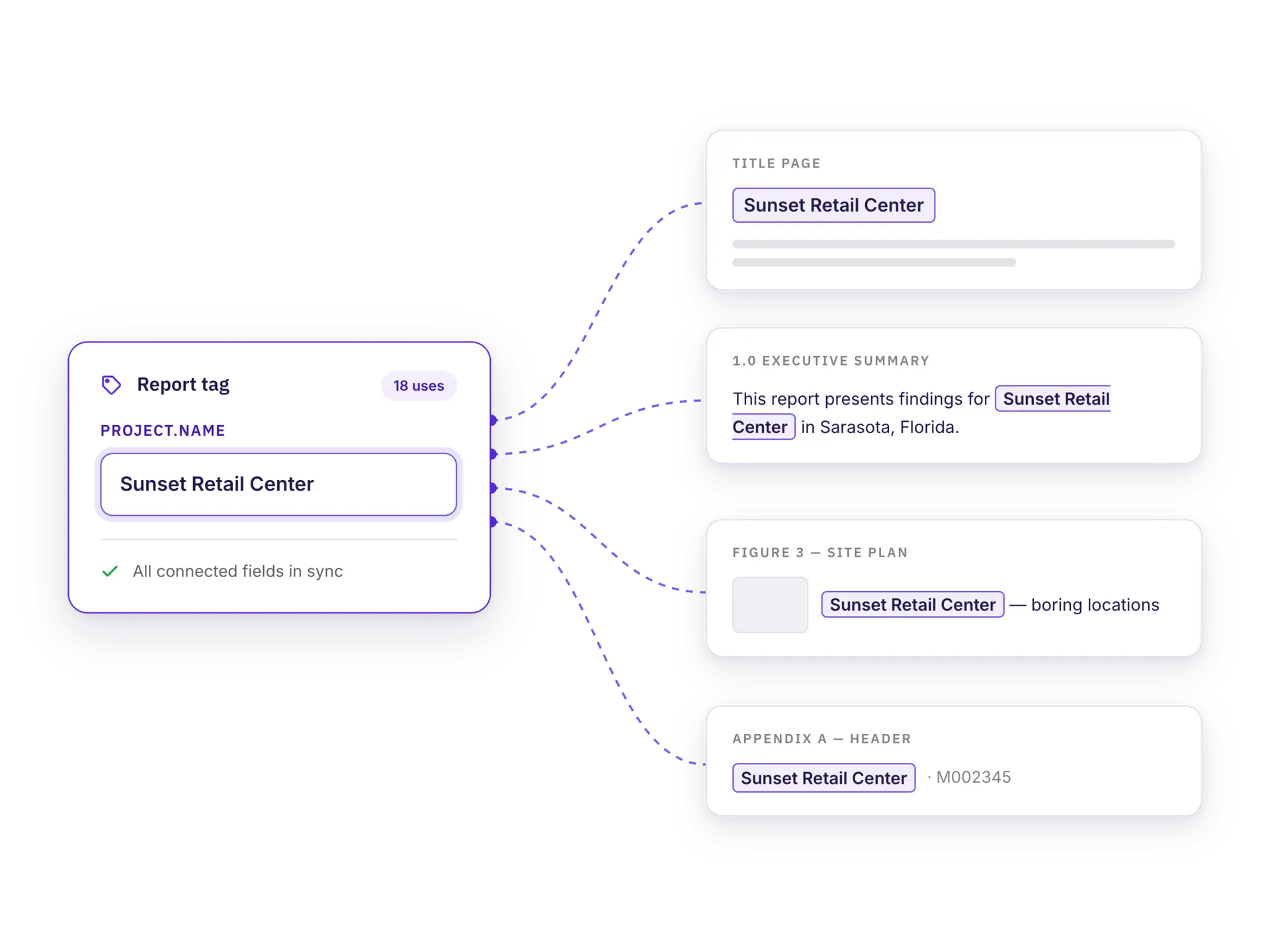
Third-party vendors serving CMBS, portfolio and GSE lenders need to deliver more than a finished report. They need the structured data behind it. The toolkit runs inside Quire Technical Report Management (TRM™), so the report and its data come from the same source, at the same time.
Fast
Connect data points to report tags and they fill in as you write. On PCAs, repair totals and capital items come straight from your cost tables.
Easy
Three steps from finished report to exported file. No XML expertise required.
CLOSER-ready
Built-in validation flags missing or invalid entries before you hit submit.
ALWAYS CURRENT
Keep up with CLOSER without tracking every change.
Quire tracks what CLOSER requires and updates the toolkit as the platform evolves. A proprietary validation tool checks every entry against those requirements, so problems surface during review instead of after submission.
Requirements kept current as CLOSER updates
Entries validated before export
Submit with confidence
XML validationPhase I ESA · Sunset Retail Center
CLOSER
Property address1200 NE Industrial Blvd, Sarasota, FL
Inspection date09/22/2026
Overall statusPhase I Acceptable
Radon statusRequired field is empty
1 data point needs reviewFix and revalidate
CONNECTED DATA
Write the report once. The data flows into the XML.
The toolkit connects directly to your report. Report tags capture each data point as you write and populate everything they can in the XML file automatically, so the narrative and the data never drift apart.
HOW IT WORKS
Three steps to an upload-ready file.
01
Add the CLOSER XML package
Attach it to any report for a lender that requests CLOSER.
02
Review the data points
Check the required fields the toolkit pulled from your report and resolve anything flagged.
03
Export your CLOSER files
Download a zip with the XML and a PDF of the data, ready to upload and submit in CLOSER alongside the narrative report.
NOT AN XML EXPERT? NO PROBLEM.
Review every data point in a readable PDF.
Every export includes a formatted PDF of the XML data, so reviewers and project managers can confirm each data point without opening the file.
XML file
<Property>
<Address>1200 NE Industrial Blvd, Sarasota, FL</Address>
<InspectionDate>09/22/2026</InspectionDate>
<OverallStatus>Phase I Acceptable</OverallStatus>
<Radon>
<Status>Acceptable</Status>
</Radon>
</Property>
PDF viewValidated
Property address1200 NE Industrial Blvd, Sarasota, FL
Quire uses cookies to keep our website working properly and to understand how visitors use our site. Some cookies also help us personalize your experience and improve our marketing. You can update your preferences at any time. Privacy Policy